Pose Camera: Guided posing and quick aesthetic edits for mobile creators
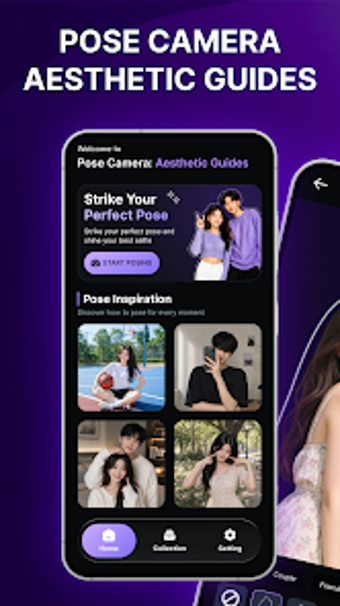
Pose Camera: Aesthetic Guides, from Ocean Limousine Limited, helps users capture deliberate photos by overlaying pose templates on the live camera view. The app provides real-time transparent outlines and a categorized template library to help subjects align with curated compositions. It also pairs in-app filters and basic editing tools with front and rear camera support. Social media enthusiasts and amateur photographers gain compositional guidance that reduces uncertainty when posing for photos.
Unlock your creativity with Adobe Stock
Get 10 images or 1 video with a free trial
Templates designed around common social scenarios aid creative choices
Pose Camera organizes its pose library into scenario categories that match modern posting needs, including Daily, Travel, Couple, Friends and niche sets like street style, food, and portraits. That organization helps users pick a mood quickly; for example, choosing the Travel category gives ready-made compositions suitable for location shots. The app's category structure supports rapid experimentation by offering multiple curated options per situation.
Integrated capture-to-edit workflow keeps shooting and finishing on the device
The app connects capture and light editing in a single flow: select a category and template, view the transparent outline while composing, take the shot, then apply built-in filters and basic adjustments. This sequence reduces context switching because composition guidance and post-capture tweaks remain in the same interface. Quick selection and immediate application of guides make short shooting sessions practical for on-the-go content creators.
Best fit and practical limits for Android photographers
Targeted at social media enthusiasts, influencers, and amateur photographers, the app favors approachable guidance over studio-grade toolsets. It runs on Android devices, with specific system requirements varying by device, so performance and smoothness depend on hardware. The app may include advertisements or offer in-app purchases for premium content, which can affect uninterrupted use for some users.
In conclusion, a practical choice for confident, faster mobile photos
Pose Camera is a practical option for creators who want more confident, frequent mobile photo sessions; it emphasizes approachable composition aids rather than in-depth post-production control. This makes it well suited to social-media-focused users who value inspiration and speed. Professionals who require studio-level adjustments and granular export control should look elsewhere, but casual creators will find it useful for everyday shoots.
Pros
Transparent real-time pose overlays for precise alignment
Extensive, scenario-based library including Travel, Couple, and Friends
Built-in filters and basic editing tools for on-device finishing
Supports both front and rear cameras for selfies and group shots
Cons
May contain advertisements or offer in-app purchases
Performance varies because system requirements differ by device
Designed for social-media creators, less suitable for studio photographers
Laws concerning the use of this software vary from country to country. We do not encourage or condone the use of this program if it is in violation of these laws. Softonic may receive a referral fee if you click or buy any of the products featured here.